 DispatchEngine
Less time on the phone. More time on jobs.
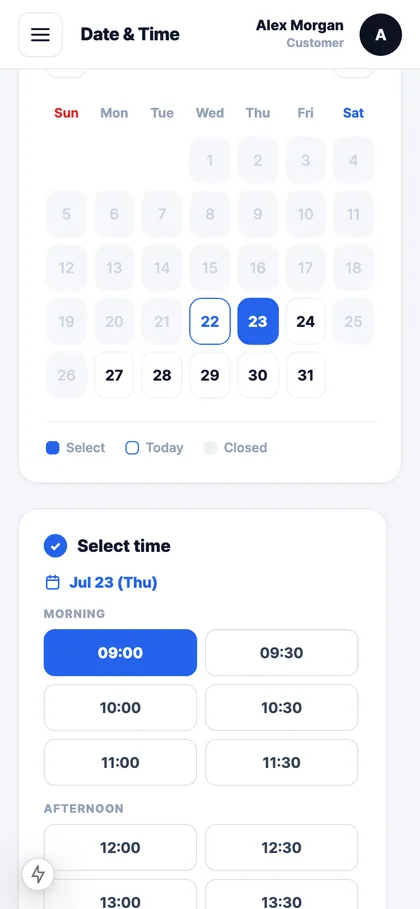
Customers book themselves
They pick a day and a time slot you have open. No back-and-forth over text.
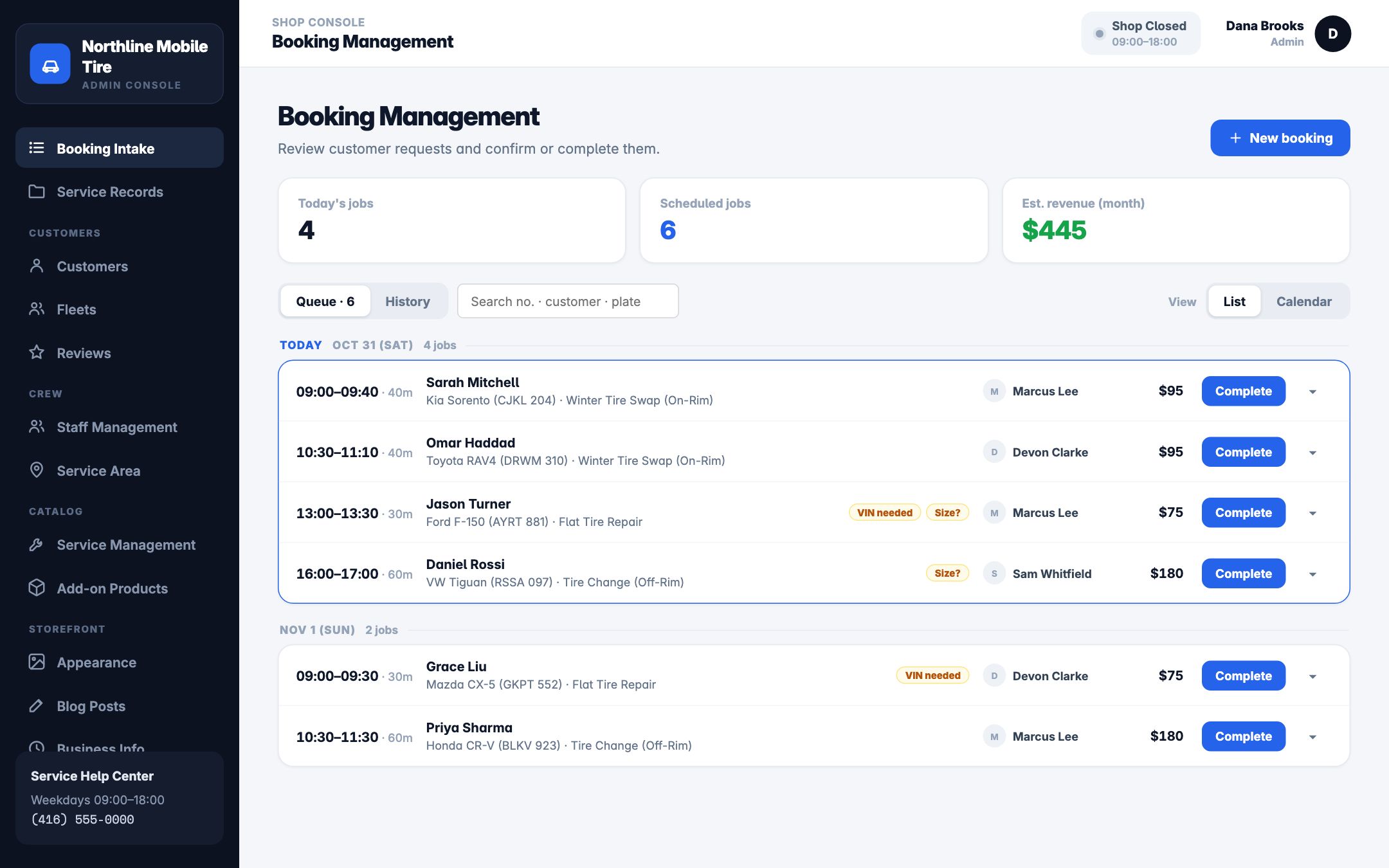
Your day in order
Each job with the address, the vehicle and the work, plus one tap for directions.
Paid on the spot
The customer pays by card when they book. Phone bookings can be marked pay on site. No chasing e-transfers.
What it looks like
Screens from the working app, shown with demo data.
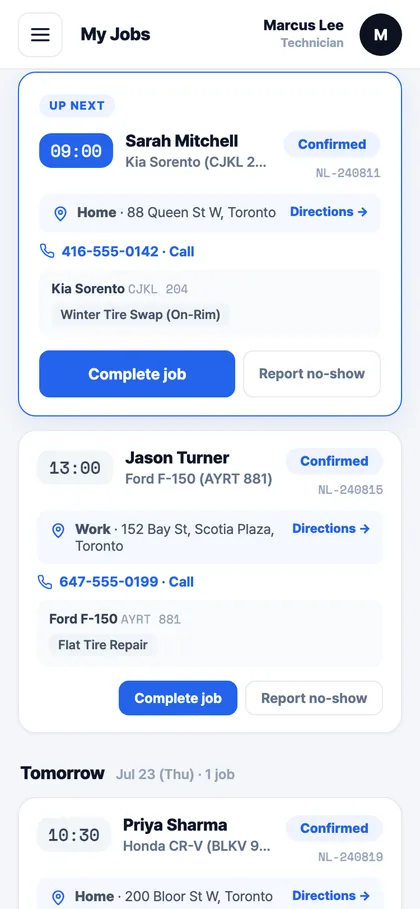
Your jobs for today
Next job on top with the address, the vehicle and a call button. Tap Directions and go.
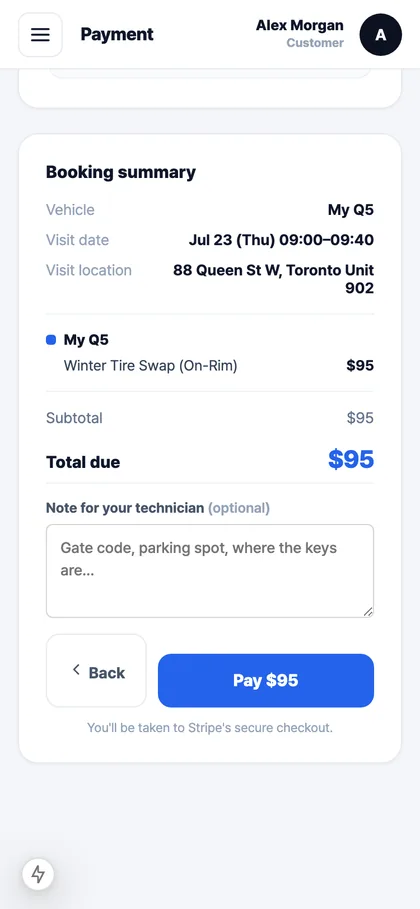
Paid before you leave
The customer sees the price and pays by card through Stripe, straight into your own account.
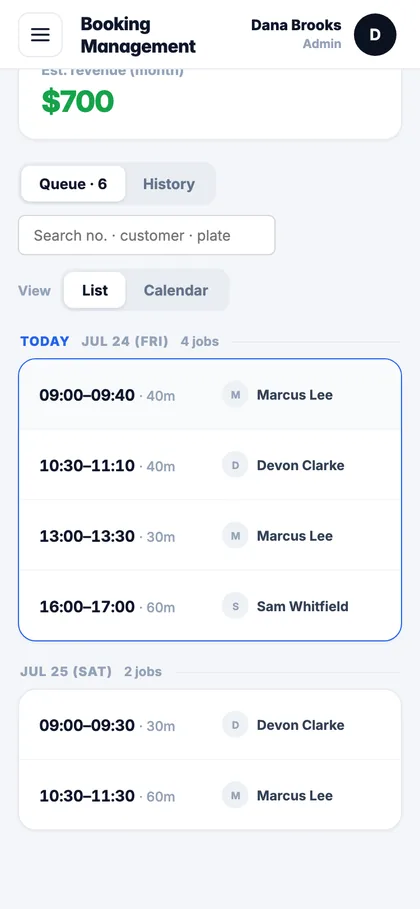
Got a crew? See every van.
Who's doing what today and tomorrow, in one list. Works just as well if it's only you.
Swipe to see more →
Seen enough? David will set it up with your services and show you on a call.
Everything it does
The full list, for when you want to know if it fits the way your shop actually runs. All of it works today.
Booking that takes a minute
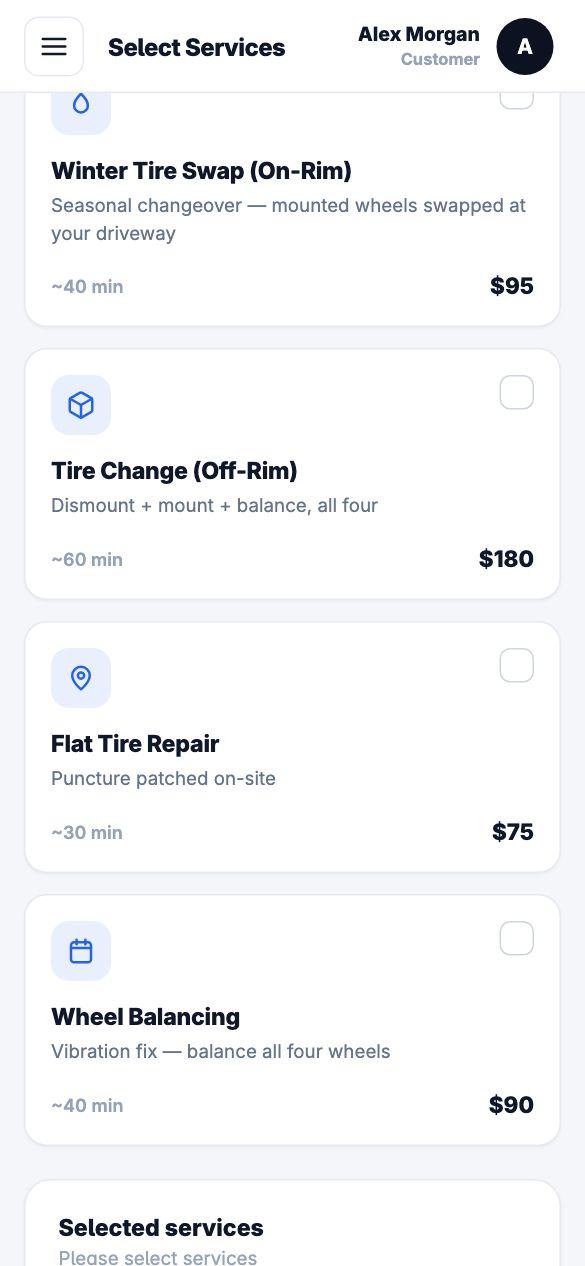
- Book online, any timePick the services, the day and an open time slot. The slot is held while they pay, so two people can't grab it.
- Several cars in one bookingBook a tire swap for two cars at once. Add-ons like wiper blades go on the same visit, and three or more services get 10% off.
- Their garageCustomers save their cars by year, make and model or by VIN. Next time they book in a couple of taps.
- Address and a note for youSaved addresses with autocomplete, plus a note like "gate code 1234, car's in the driveway".
- Book as a guestNo account needed. They get an email with a link to cancel if plans change.
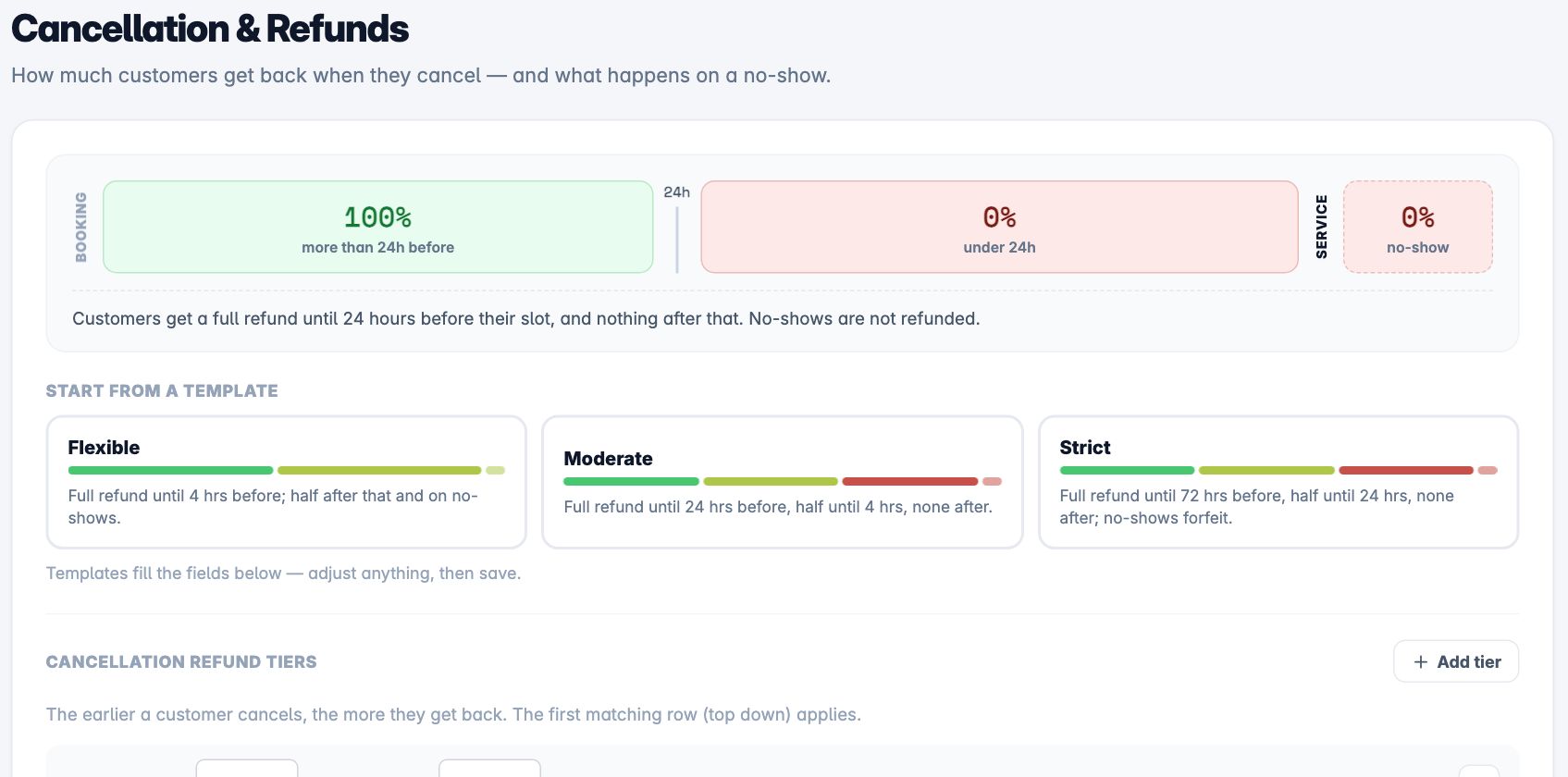
- Cancel under your rulesYour cancellation policy decides the refund, and the refund goes back to their card on its own.
- ReviewsAfter the visit they can leave a star rating, and you choose which ones show.
The day on one screen
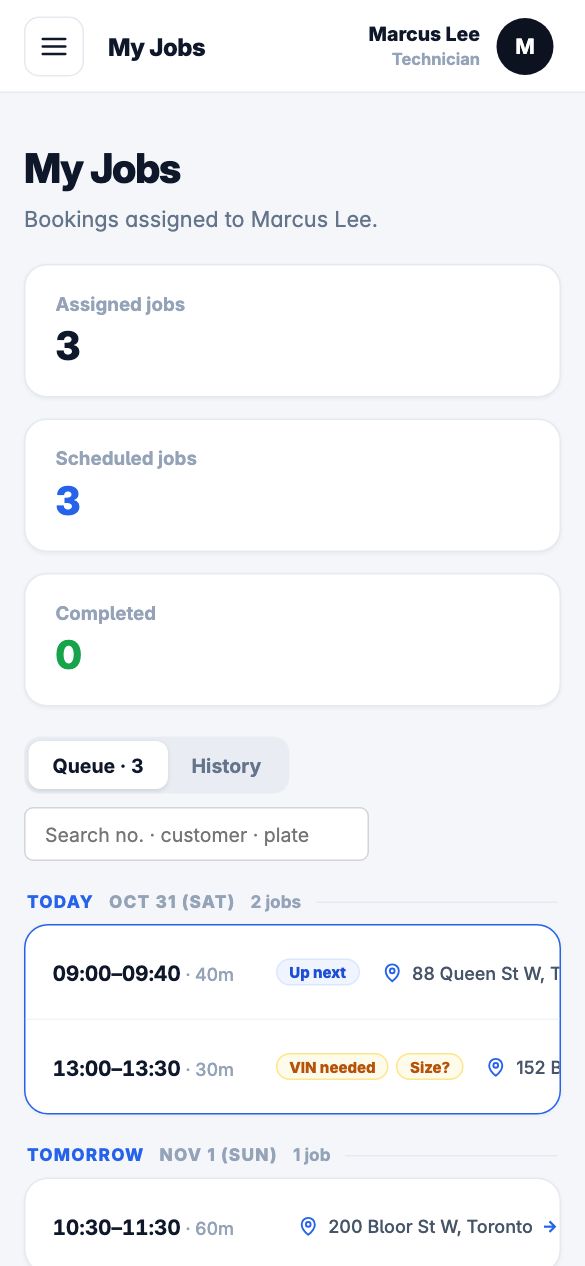
- My jobsEach tech sees only their own jobs, in order, as a list or a calendar.
- Everything for the jobAddress with a Directions button, the car, the tire size, the customer's note and a call button.
- Block off timeTechs mark the hours they can't work, and nobody gets booked into them.
- Finish the job properlyCheck the VIN, record the odometer and the tire size, and mark it done.
- No-shows and photosReport a no-show for you to confirm, or ask the customer to send photos of the car by email.
Dispatch without the whiteboard
- Jobs go to the right techNew bookings are assigned by area, skills and free time. Move any job to someone else in two taps.
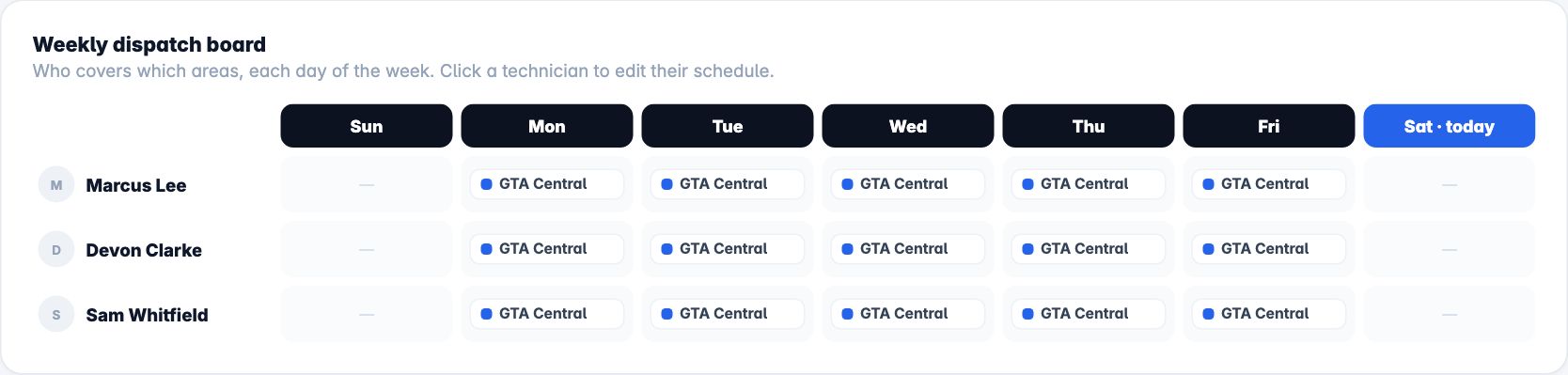
- Service areas your waySet areas by postal code, by town, or by drawing on a map. Give each tech a different area on each day of the week.
- Weekly dispatch boardSee which tech covers which area on each day of the week.
- Phone and walk-in bookingsAdd a booking yourself and mark it pay on site.
- RescheduleMove a booking and the customer and the tech both get an email.
- Your hours and holidaysBusiness hours, slot length, minimum notice and days off, so customers can only book times you can do.
- Services and pricesYour own list of services, add-ons and prices, with HST or GST worked out for you.
- Customers and historyEvery customer, every car and the work done on it.
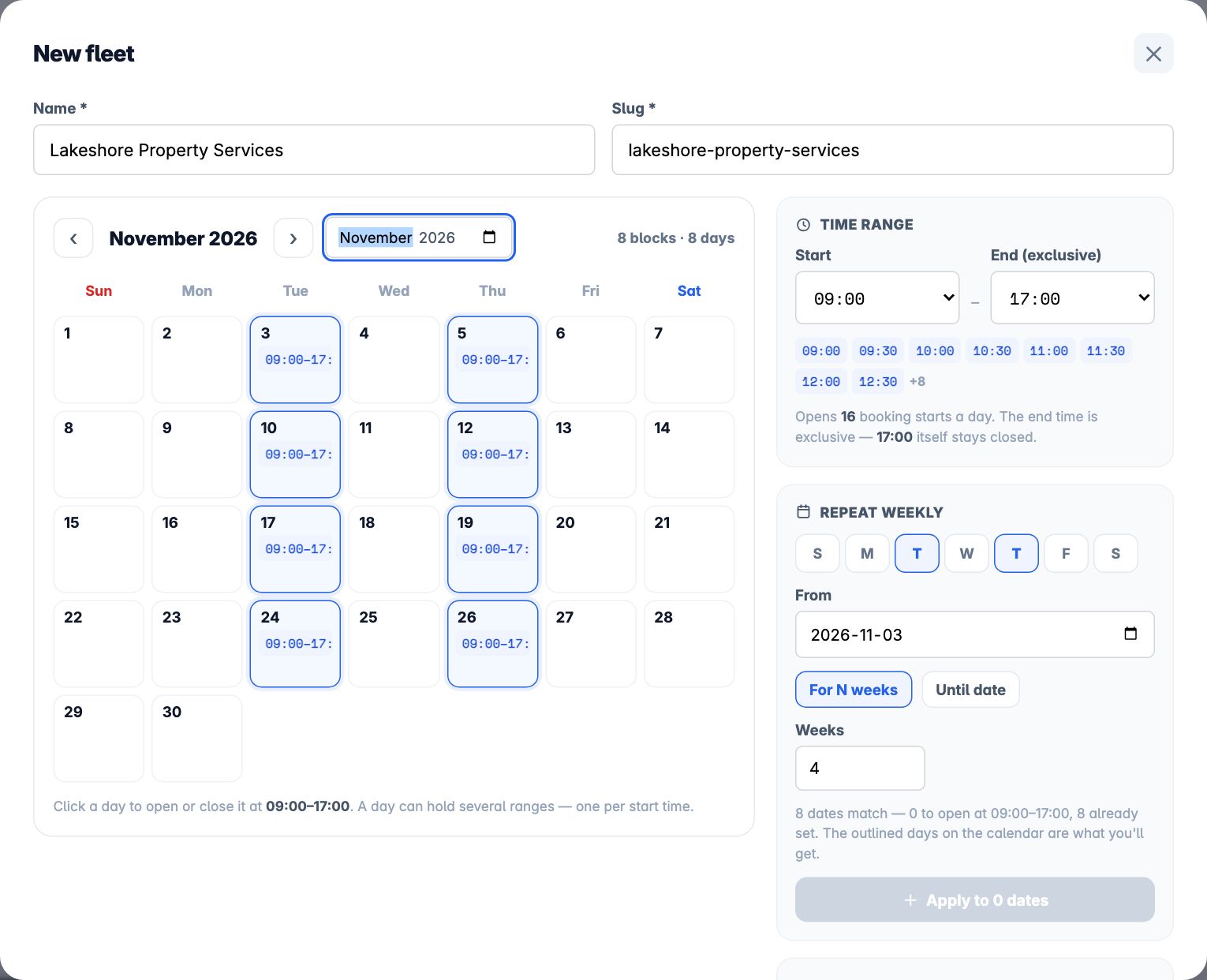
Fleets book on their own
- A login for each fleetGive a company its own sign-up link and a fleet manager account.
- Their own time blocksSet the days and hours a fleet can book, so their vans don't crowd out your retail customers.
- The manager books for the driversOne person books the whole fleet's work, and you see it in the same list as everything else.
Paid, recorded, done
- Card payments into your own StripeMoney goes straight to your account. We don't take a cut of your payments.
- QuickBooks OnlineEach paid booking lands in QuickBooks as a sales receipt, with the tax already split out.
- Emails that go out on their ownBooking confirmations to customers, new-booking alerts to you, and job assignments to your techs.
- Your own booking pageYour logo and colours, at a page you can link from your website, Google profile or texts.
Need it to do something it doesn't?
Every shop gets its own copy, set up for how that shop works. If you need something added, we build it.
Questions shops ask
Do my techs need to install an app?
No. DispatchEngine runs in the phone's web browser, so it works on any iPhone or Android. Add it to the home screen for one-tap access.
Can I still take bookings over the phone?
Yes. Add the booking yourself, pick the tech, and mark it pay on site. It shows up in the same list as online bookings.
I'm on my own with one van. Is it worth it?
Yes. Customers book and pay without calling you, and your day is laid out in order. The crew features stay out of the way until you hire.
Do you take a cut of my payments?
No. Payments go straight into your own Stripe account. Stripe charges its normal card fee, and we take nothing from it.
What does it cost?
It depends on how many techs you have and what you need set up. Text David and you'll get a straight number on the first call.
Can I bring my customer list over?
Not with an import button yet. Send us the list and we'll load it for you when we set you up.
Does it text my customers?
Not yet. Confirmations and updates go out by email today.
Who's behind it?
David Kim and Chris Je at Appsterpiece, a software studio in London and Barrie, Ontario. It grew out of the booking system we built for Wheel Easy, a mobile tire and auto service, which has run every day for over two years.

Built by the Appsterpiece team
David Kim and Chris Je design and build DispatchEngine together at Appsterpiece, a software studio in London and Barrie, Ontario. We built the booking system for Wheel Easy, a mobile tire and auto service. It has run their business every day for over two years.